Every day, we are online.
Every minute, we are by your side.
sales@richpeace.com


Every day, we are online.
Every minute, we are by your side.
sales@richpeace.com
Release Time:2021-01-21
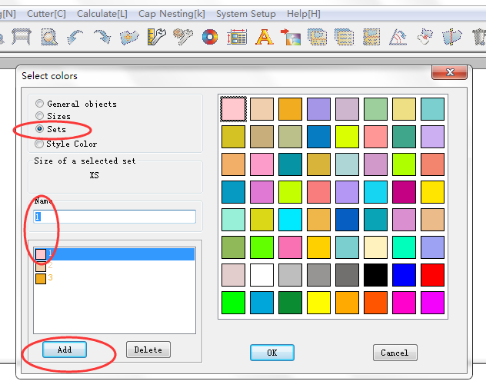
Solution: Click on the Options menu - pieces on marker - Remove the "color of set " check,Then point the color tool - "sizes", select the desired object name (if there is no corresponding name, you can click "Add" input, and then select the appropriate size of the selected color to determine the desired color.
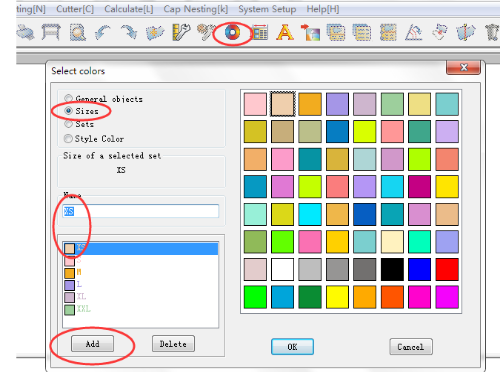
For a set of patterns into a color :
 First select the "Size", and then select "sets" to add(such as this size need to arrange two sets need to add twice), then select the desired color to determine.